About a year ago, we stood in front of the Zocdoc engineering team and declared that we were going to migrate our shared Front-End web components into a monorepo, at which point our colleagues promptly freaked out.
Some quick context:
- A few years prior, Zocdoc made a concerted effort to move from a legacy monolith application to a microservices architecture.
- Monorepo and monolith both start with the prefix “mono”.
- We software developers are great at freaking out.
A monorepo actually has nothing to do with a single monolithic application — it’s simply the ability to organize a single code repository into multiple packages that are versioned and published independently.
This is the first post in a two-part series. Today we’re going to talk about what a monorepo is, and how it addressed some developer pain points and enabled us to ship code more quickly.
In our next post, we’ll describe how we used Lerna to build a working monorepo. We’ll discuss frustrating aspects of migrating to a monorepo such as setting up continuous integration, a topic we haven’t seen discussed often elsewhere. Finally, we’ll share some lessons we learned from the entire process.
What Is A Monorepo?
Suppose a single published library contains independent components or utilities that have multiple consumers. A consumer needs to import the entire library even to use any single component. Additionally, importing unrelated features because of tight coupling can cause issues (which we’ll discuss later).
A monorepo is a software development strategy in which multiple software packages are published from a single code repository. Thematically, it may make sense for a tool or feature to exist in the same codebase as another, but in a monorepo it can be shipped by itself.
For example, React, React DevTools, and React DOM are published as separate NPM packages but live in a single repository. The term “monorepo” can also be used to describe the strategy of storing all of a company’s source code across its entire stack, no matter what language it is written in or for what purpose, in a single repository. That wasn’t necessary for our purposes and was much further removed from the situation we started in, so we didn’t even consider it and won’t be going into that strategy in these blog posts.
A Monorepo For Front-End Components
So, what brought us to take the monorepo for a spin? Let’s take a step back; as we mentioned earlier, much of our front-end stack has a microservice architecture. Different webpages live in separate, independently-deployed web applications. Some web pages that live in different web applications share the same front-end components. Let’s look at a couple of examples.
This is our SearchBar:

And this is our Timesgrid:
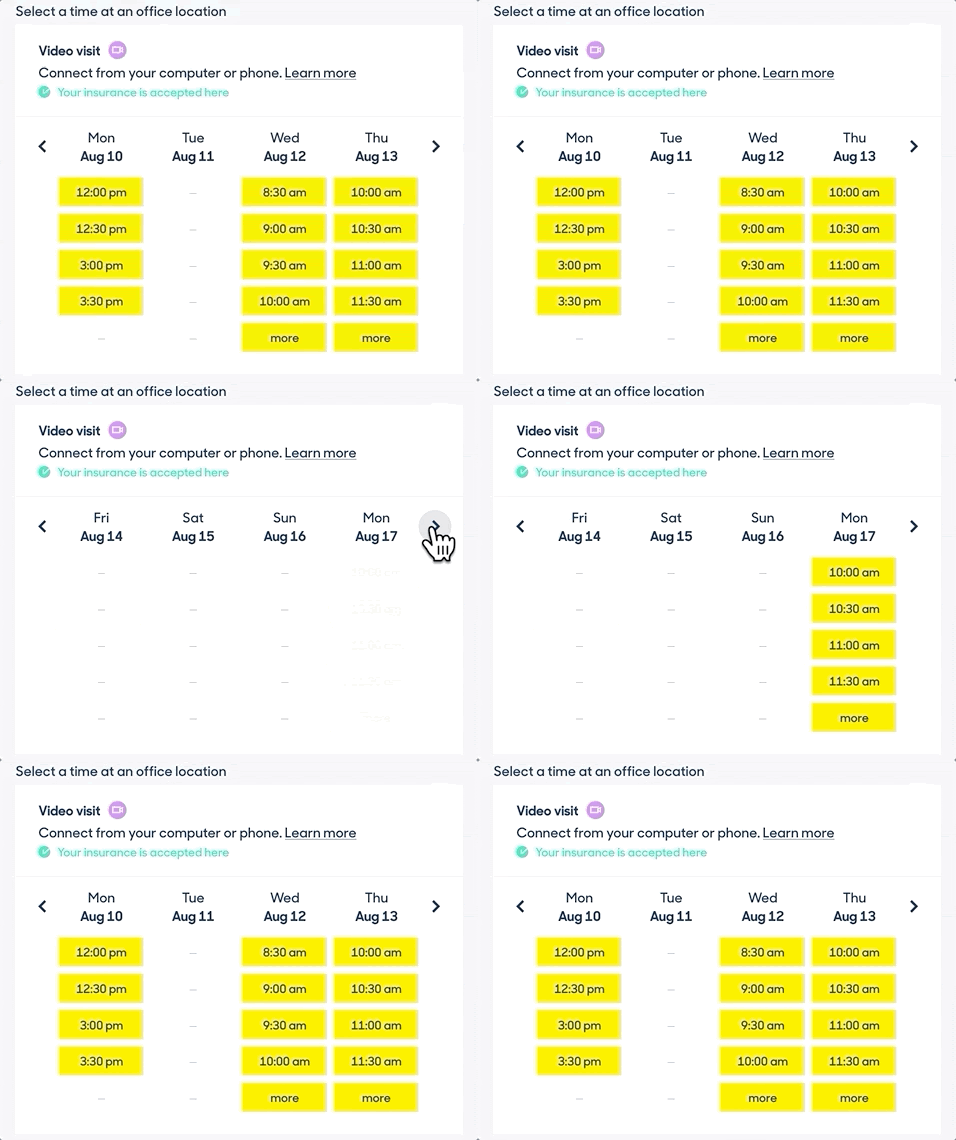
SearchBar and Timesgrid are two of the many frequently-reused front-end components consumed by multiple web applications at Zocdoc. We didn’t want to rewrite the same code in many places, so we had already built a shared Design System library that contained these components:
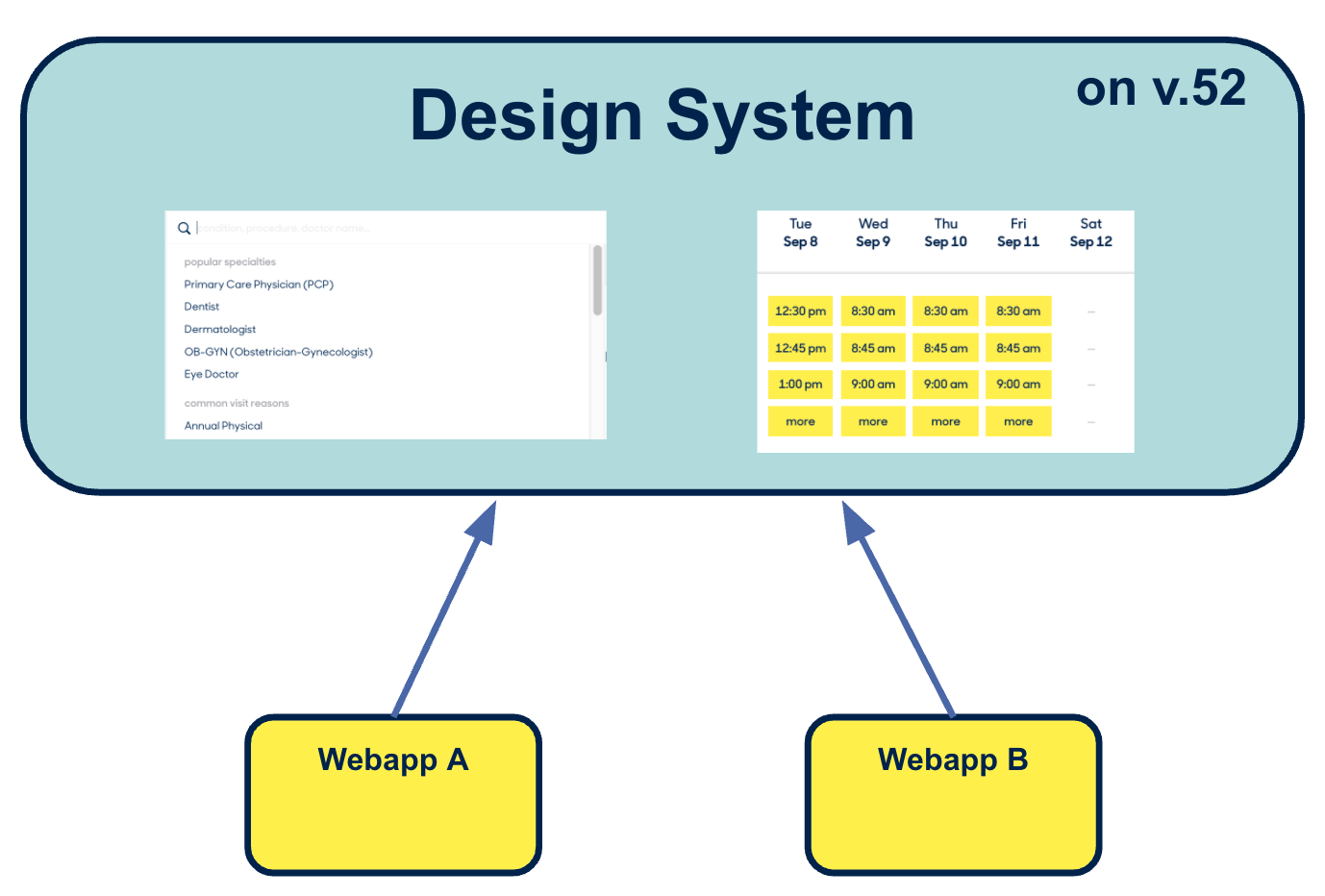
That library had a version number, let’s say it’s at version 52 in the graphic above.
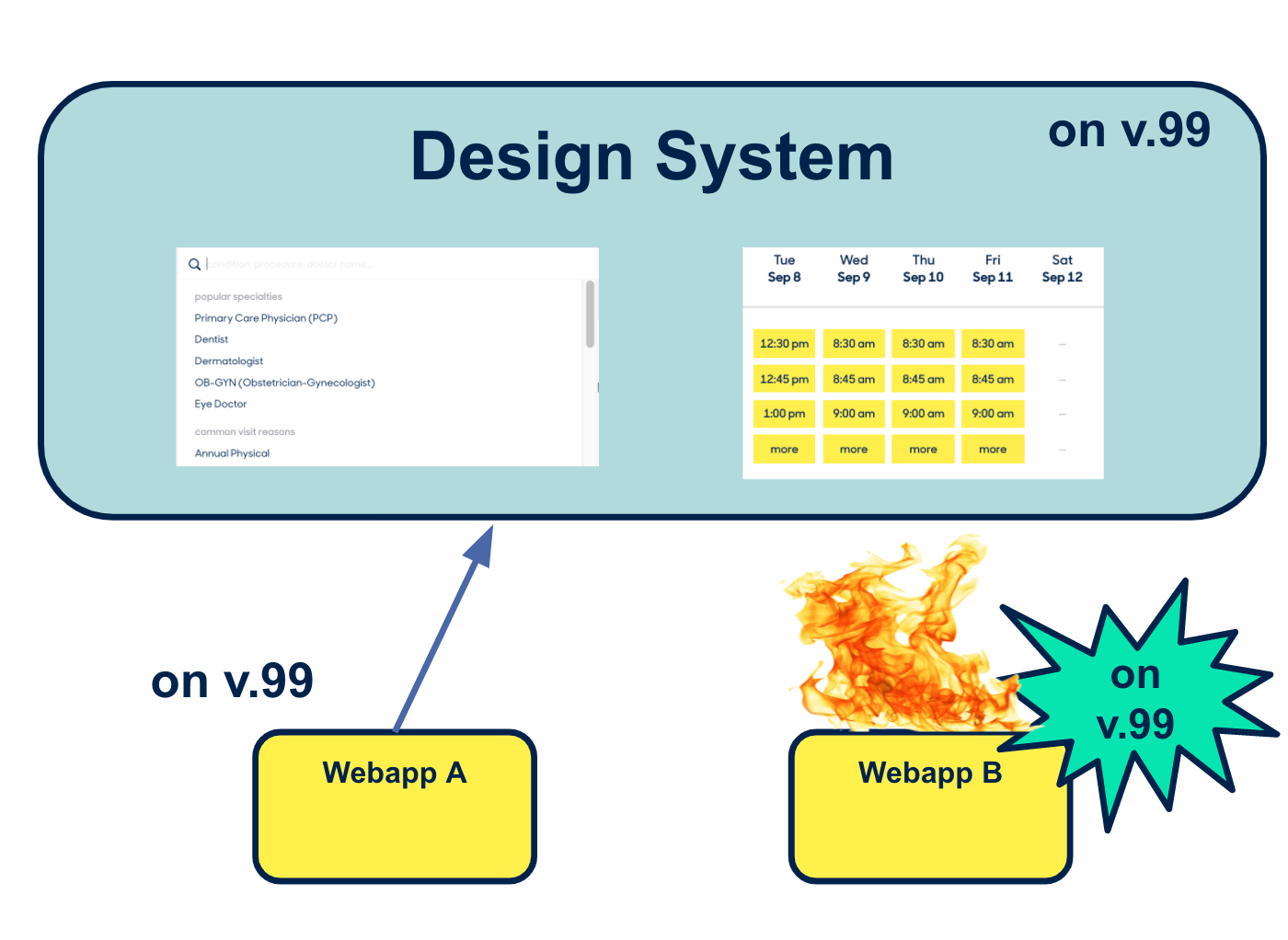
If you wanted to upgrade the SearchBar for a change specifically required in Webapp A, you’d upgrade the design system, release version 53, and then npm install to tell Webapp A to start using version 53 of the design system:
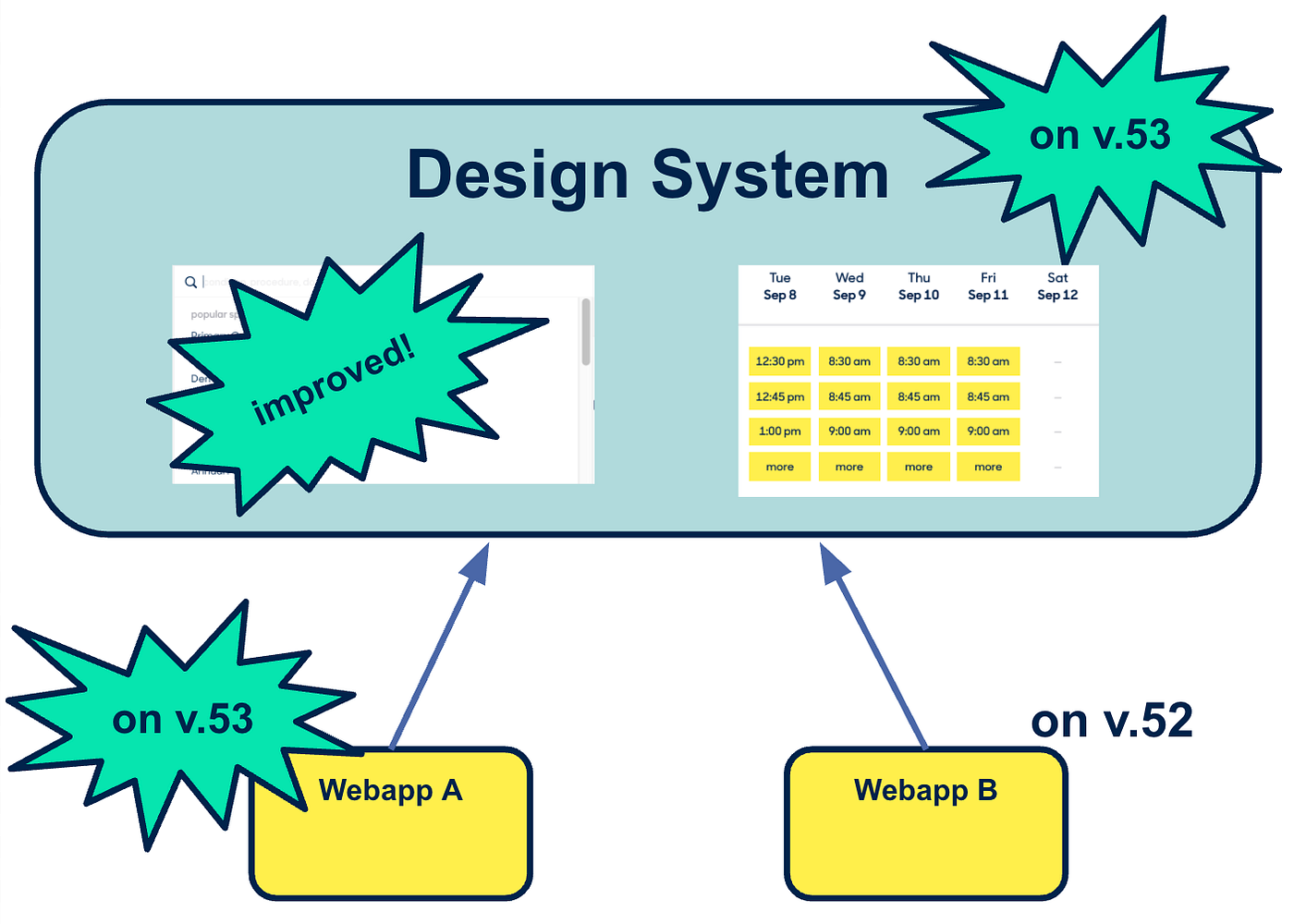
You might then immediately upgrade Webapp B to version 53 as well.
Or, you might not, because Webapp B doesn’t really need the new feature. And even though you should upgrade to the latest and greatest version, maybe you have a deadline to meet and don’t have time to do that right now. This is all well and good, but someday someone is going to upgrade Timesgrid with a change Webapp B actually needs.
“Someday” eventually arrives, meaning it’s time to upgrade Webapp B to the newest version. That work includes dealing with the breaking change in SearchBar, even if Webapp B still doesn’t actually need the feature enabled by that change. The longer a webapp holds off from upgrading to the newest version of the Design System, the harder an upgrade is going to be…
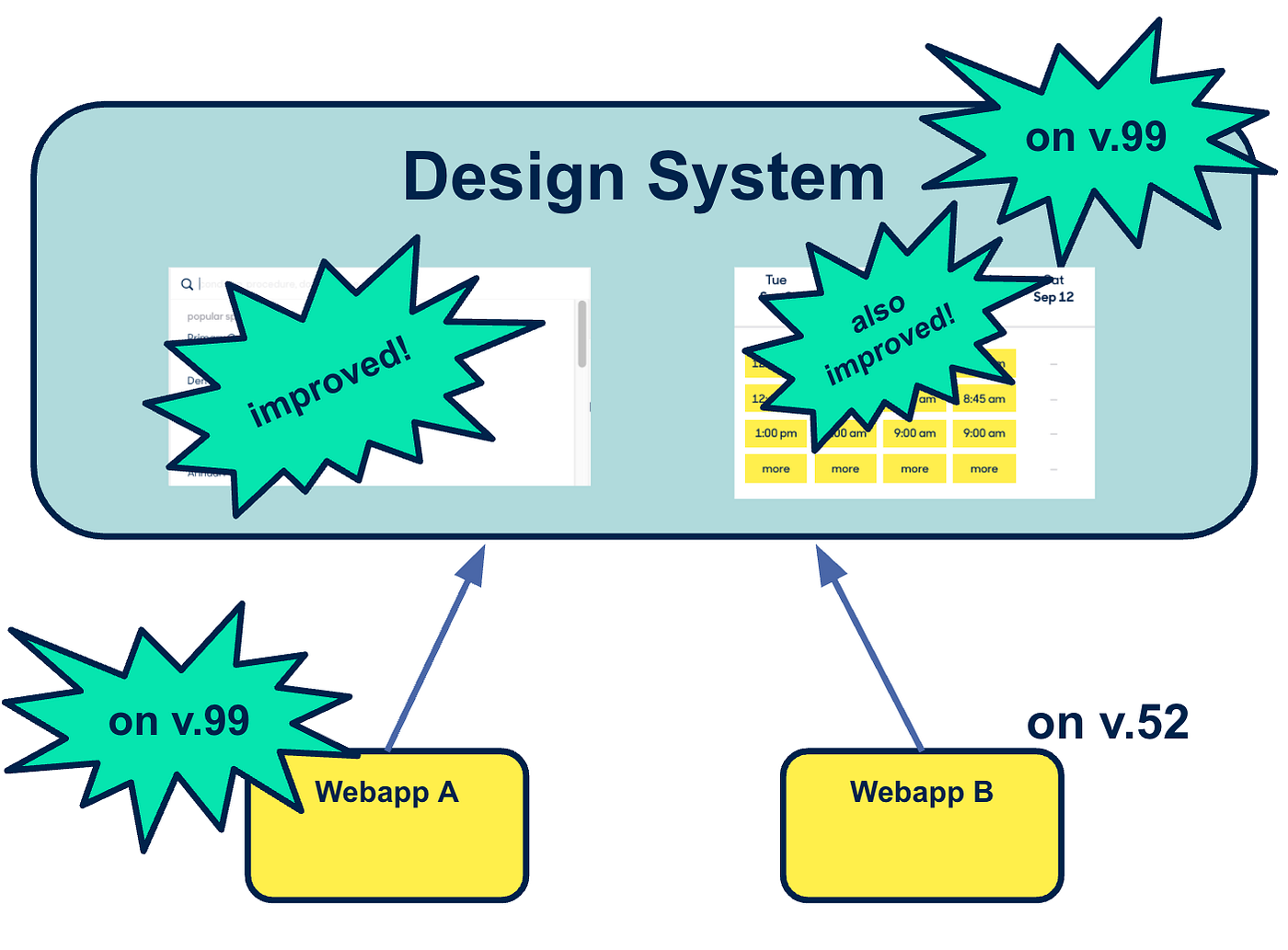
…and you definitely don’t want to be the one to deal with the inevitable breaking changes on Webapp B when you upgrade from version 52 to version 99.
This design system’s repo also had other drawbacks:
- It was difficult to see what changed between versions of a specific component in the design system.
- Developers feared making changes to components, knowing that changes made it hard for other consumers to simply keep on top of upgrades.
- This system didn’t scale well. As we added new components or features, we also added tests. We ran all tests upon any change, so each component increased CI runtime and the rate of flaky CI failures, increasing the time it took to ship code.
Enter The Monorepo
In the monorepo version of our design system, we never publish new packages of our full design system. Instead, we publish each component atomically:
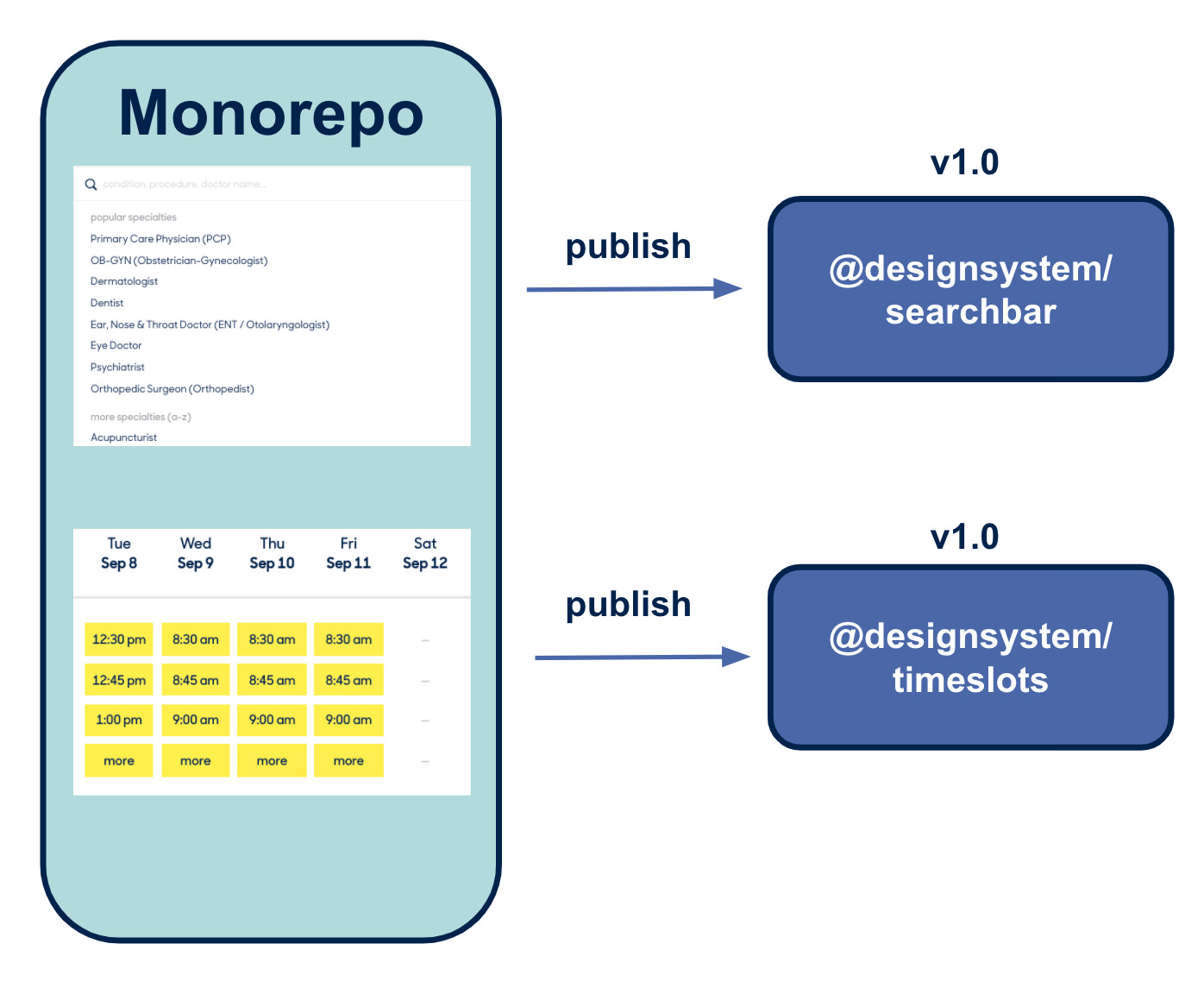
As you can see, each component publishes its own versions separately.
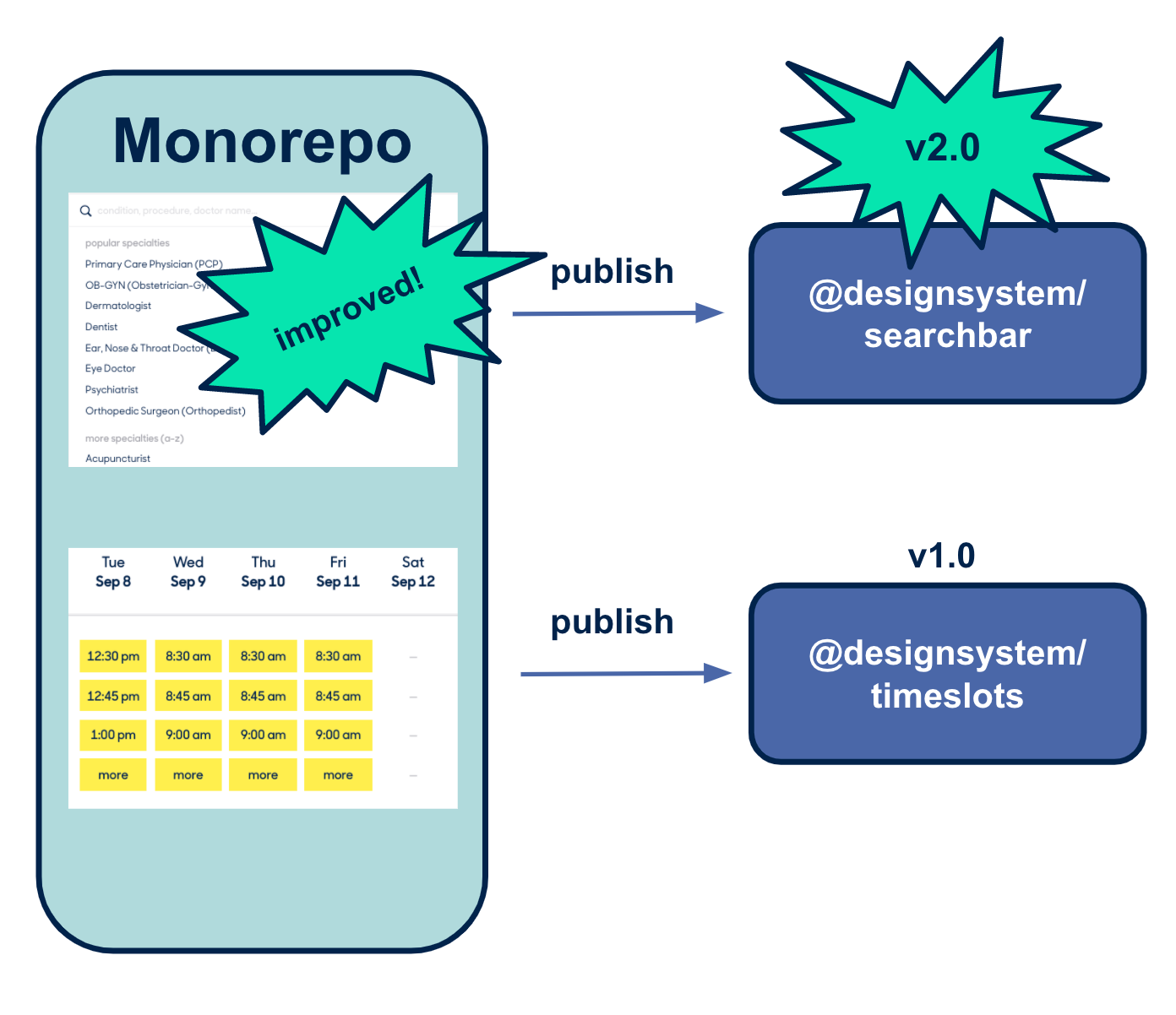
And instead of the old design system’s single versioning, we get individual versions. Each webapp can upgrade to each component individually as needed. Simple, right?
Not so fast. So far we’ve sort of regurgitated what every other blog post trumpeted about how easy and fun and magical monorepos supposedly are. The reality of implementing a monorepo, as you’ll see in our Part 2 of this Monorepo Blogpost, was much more complicated.
About the Authors
Anand Sundaram
Anand Sundaram is a Senior Software Engineer at Zocdoc. When he’s not bringing to life Zocdoc designers’ beautiful visions for improving the experience of booking doctors’ appointments, he’s probably reading nonfiction or playing a real-time strategy video game.
Gil Varod
Gil Varod is a former Principal Front-End Engineer at Zocdoc, meaning somehow there are now only two Gil’s at the company. What a pity.
Tim Chu
Tim Chu is a Senior Software Engineer at Zocdoc. He’s spent most of his tenure working to improve the patient experience, and is currently on rotation with the Android app team, working to improve the patient experience… but on Android!
Zocdoc is hiring! Visit our Careers page for open positions!